Instructions
Installation
Note: images may vary depending on the release.
BANMOD Installation
Quick guide to download, extract and correctly install the mod into the main Among Us folder.
1. Requirements
Before starting:
- You need the base Among Us game installed.
- You need the mod package in ZIP format.
- You may need an archive extraction program, such as 7-Zip or WinRAR.
Recommended downloads:
On some operating systems, no external program is required because ZIP extraction is already built in.
2. Download and preparation
Download the mod:
- Go to the Download section of the website.
- Download the latest version of the mod package.
- Choose the correct version for your platform, Steam or Epic Games.
Required folder:
Open the main Among Us folder, the one that contains Among Us.exe.
3. Find the game folder
Steam:
- Open your Library.
- Right-click Among Us.
- Select Manage.
- Click Browse local files.
Epic Games:
- Open your Library.
- Click the three dots next to Among Us.
- Select Manage.
- Click the folder icon.
4. Install the files
Procedure:
- Copy or extract all files from the ZIP into the main Among Us folder.
- After extraction, you should see files and folders such as BepInEx, doorstop_config.ini and other mod files.
Important
If the system asks to replace existing files, press Yes.
Make sure Among Us.exe and the BepInEx folder are at the same level inside the game folder.
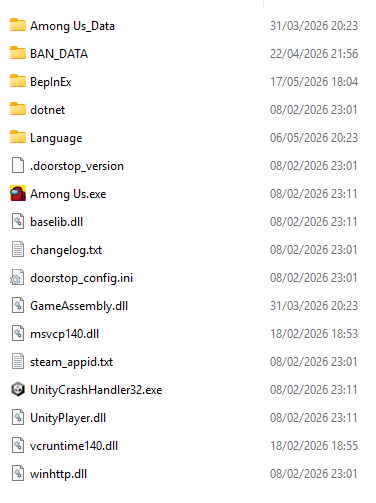
Installation check:
If the files were copied correctly, BANMOD should appear in the main game menu.
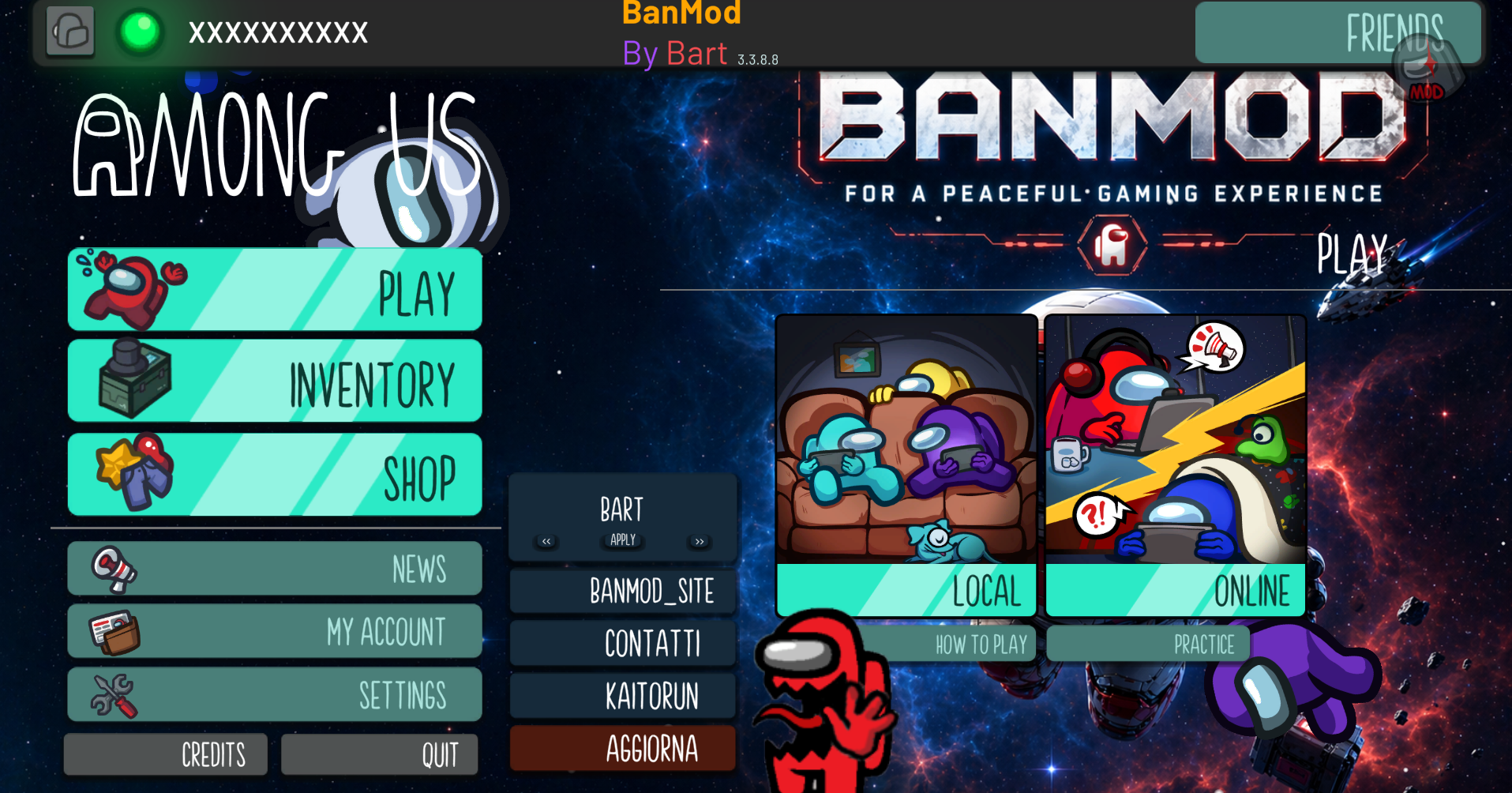
5. Uninstallation
To return to the standard game version:
Use the platform file verification feature.
Steam:
- Right-click Among Us.
- Select Properties.
- Go to Installed Files.
- Click Verify integrity of game files.
Epic Games:
- Open your Library.
- Go to Among Us.
- Select Manage.
- Click Verify.
This will automatically remove the files added by the mod and restore the standard game.